> ## Documentation Index
> Fetch the complete documentation index at: https://docs.crosmos.dev/llms.txt
> Use this file to discover all available pages before exploring further.
# Quickstart
> Install @crosmos/graph and render a force-directed knowledge graph in any React app.
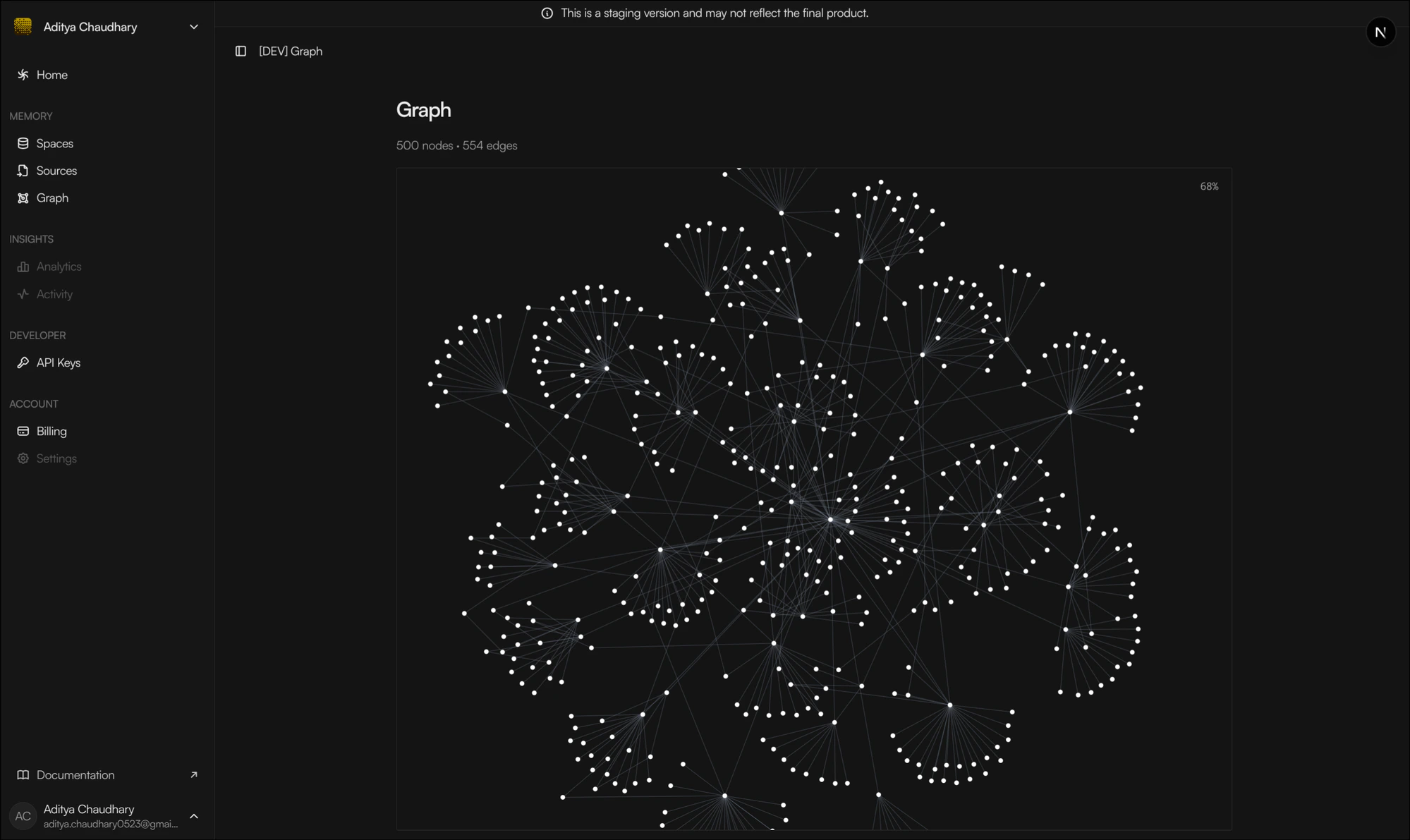
`@crosmos/graph` is a force-directed graph renderer for React. It is cluster-aware by default and works with any data shape — give it nodes and edges with `id`s and you get an interactive canvas.
 ## Install
```bash theme={null}
npm install @crosmos/graph react react-dom react-force-graph-2d
```
`react`, `react-dom`, and `react-force-graph-2d` are peer dependencies. Install them in your host app so you don't end up with duplicates.
## Render a graph
Fetch data with whatever you already use (TanStack Query, SWR, RSC, plain `fetch`) and pass arrays straight in.
```tsx theme={null}
import { ForceGraph, type BaseNode, type BaseEdge } from "@crosmos/graph";
import "@crosmos/graph/styles.css";
interface MyNode extends BaseNode {
label: string;
team: string;
}
interface MyEdge extends BaseEdge {
label: string;
}
export function MyGraph({ nodes, edges }: { nodes: MyNode[]; edges: MyEdge[] }) {
return (
nodes={nodes}
edges={edges}
getNodeLabel={(n) => n.label}
getEdgeLabel={(e) => e.label}
onNodeClick={(n) => console.log("clicked", n.team)}
/>
);
}
```
The package only exposes generic shapes — `BaseNode { id }` and `BaseEdge { id, source, target }`. Carry your domain fields on the node and edge directly; accessor functions stay fully type-safe.
## Mock data for development
A 500-node mock dataset ships with the package and is useful for screenshots, performance tests, and trying tuning options.
```ts theme={null}
import { MOCK_NODES, MOCK_EDGES } from "@crosmos/graph/mock";
```
The dataset mirrors a production-faithful shape: one `USER` hub, the 7 canonical entity types, the 23-relation vocabulary, and bimodal confidence scores. It's deterministic across loads.
## What's next
Every prop, the imperative handle, data sources, clustering, and SSR notes.
Every theme key, with defaults and the CSS variables that drive popovers and the zoom indicator.
Targets modern evergreen browsers (latest two majors of Chrome, Edge, Firefox, Safari). The default CSS uses `oklch()` color, which falls back to no background on older browsers.
Licensed under [MIT](https://github.com/crosmos-labs/crosmos/blob/main/packages/graph/LICENSE).
## Install
```bash theme={null}
npm install @crosmos/graph react react-dom react-force-graph-2d
```
`react`, `react-dom`, and `react-force-graph-2d` are peer dependencies. Install them in your host app so you don't end up with duplicates.
## Render a graph
Fetch data with whatever you already use (TanStack Query, SWR, RSC, plain `fetch`) and pass arrays straight in.
```tsx theme={null}
import { ForceGraph, type BaseNode, type BaseEdge } from "@crosmos/graph";
import "@crosmos/graph/styles.css";
interface MyNode extends BaseNode {
label: string;
team: string;
}
interface MyEdge extends BaseEdge {
label: string;
}
export function MyGraph({ nodes, edges }: { nodes: MyNode[]; edges: MyEdge[] }) {
return (
nodes={nodes}
edges={edges}
getNodeLabel={(n) => n.label}
getEdgeLabel={(e) => e.label}
onNodeClick={(n) => console.log("clicked", n.team)}
/>
);
}
```
The package only exposes generic shapes — `BaseNode { id }` and `BaseEdge { id, source, target }`. Carry your domain fields on the node and edge directly; accessor functions stay fully type-safe.
## Mock data for development
A 500-node mock dataset ships with the package and is useful for screenshots, performance tests, and trying tuning options.
```ts theme={null}
import { MOCK_NODES, MOCK_EDGES } from "@crosmos/graph/mock";
```
The dataset mirrors a production-faithful shape: one `USER` hub, the 7 canonical entity types, the 23-relation vocabulary, and bimodal confidence scores. It's deterministic across loads.
## What's next
Every prop, the imperative handle, data sources, clustering, and SSR notes.
Every theme key, with defaults and the CSS variables that drive popovers and the zoom indicator.
Targets modern evergreen browsers (latest two majors of Chrome, Edge, Firefox, Safari). The default CSS uses `oklch()` color, which falls back to no background on older browsers.
Licensed under [MIT](https://github.com/crosmos-labs/crosmos/blob/main/packages/graph/LICENSE).